
Operations · Prototype · Sample / demonstration
Field reporting workspace
Crew updates arrive by text, email, and paper, and nobody has one current view.
Sample / demonstration
The problem
Crew updates arrive by text, email, and paper, and nobody has one current view.
Illustrative scope
Workflow mapping, a structured mobile form, and a shared status prototype with exception review.
Inputs → steps → output
Inputs
- + Crew updates from the job site
- + Job list and assigned crews
- + Photos and short notes
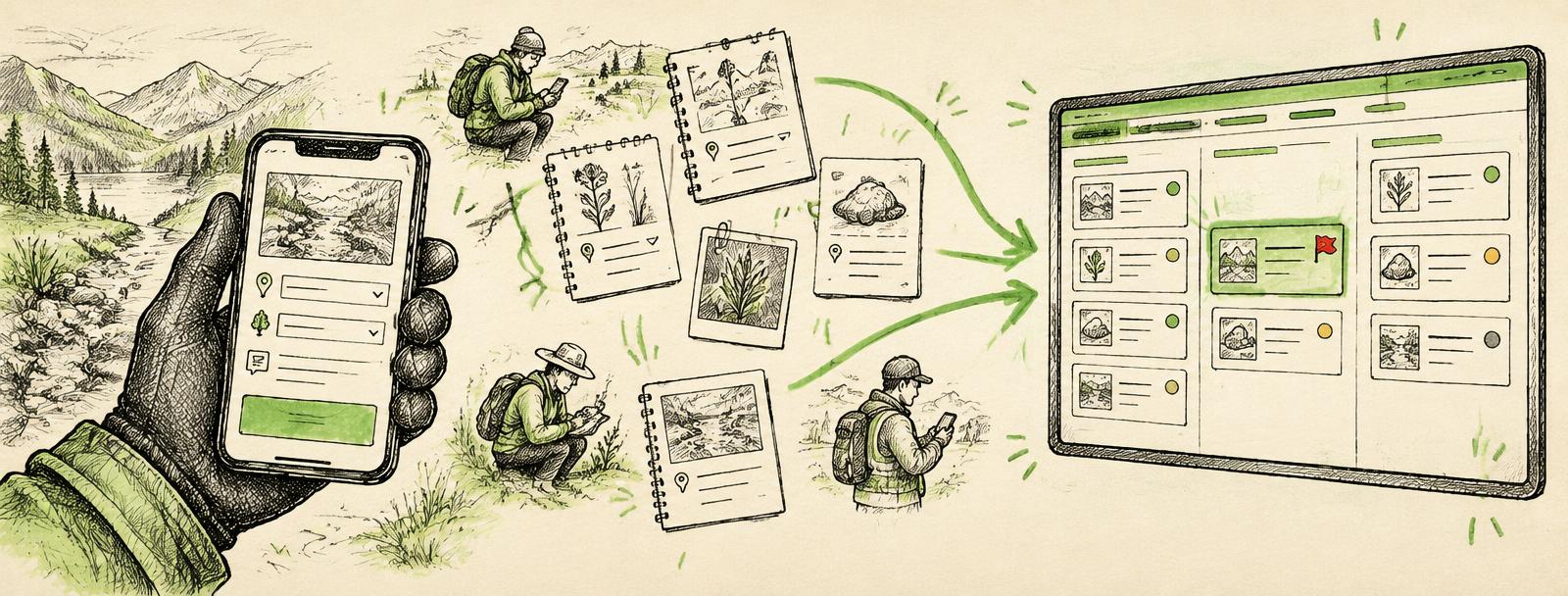
- 1Crew fills in a short mobile form on site
- 2Form checks for missing required details before submitting
- 3Entries roll into a shared status view
- 4Anything unusual is flagged for a supervisor
OutputA current status view per job, plus a short list of exceptions a supervisor has reviewed.
- What AI does
- Summarizes free-text notes into short status lines and suggests which entries look unusual.
- What a person checks
- A supervisor reviews every flagged exception and confirms the summary before it's shared beyond the team.
- Access and boundaries
- Uses only the job list and form entries. Crews see their own jobs; supervisors see all. No customer financial data is used.
- How a pilot would be tested
- Two crews use the form for a set period. Test whether updates are complete on first submission and whether supervisors find the exception list useful.
- What the handoff includes
- Form and dashboard owner named, a one-page guide for crews, a list of fields and who can change them, and how to request changes.
Related service: Custom tools, automation, and implementation →
Before and after (illustrative)
Before
- Texts, emails, and paper notes
- Weekly manual roll-up
- Missing details found late
After
- One structured mobile form
- Shared current status
- Exceptions flagged for review
Sample / demonstration, not a real client system.
Plate · Next step
Bring one real problem. Leave with a clear next step.
Tell Will what you'd like to improve. He'll review your note and suggest a next step. No preparation required.